Cat VisionLink

Cat VisionLink

Overview

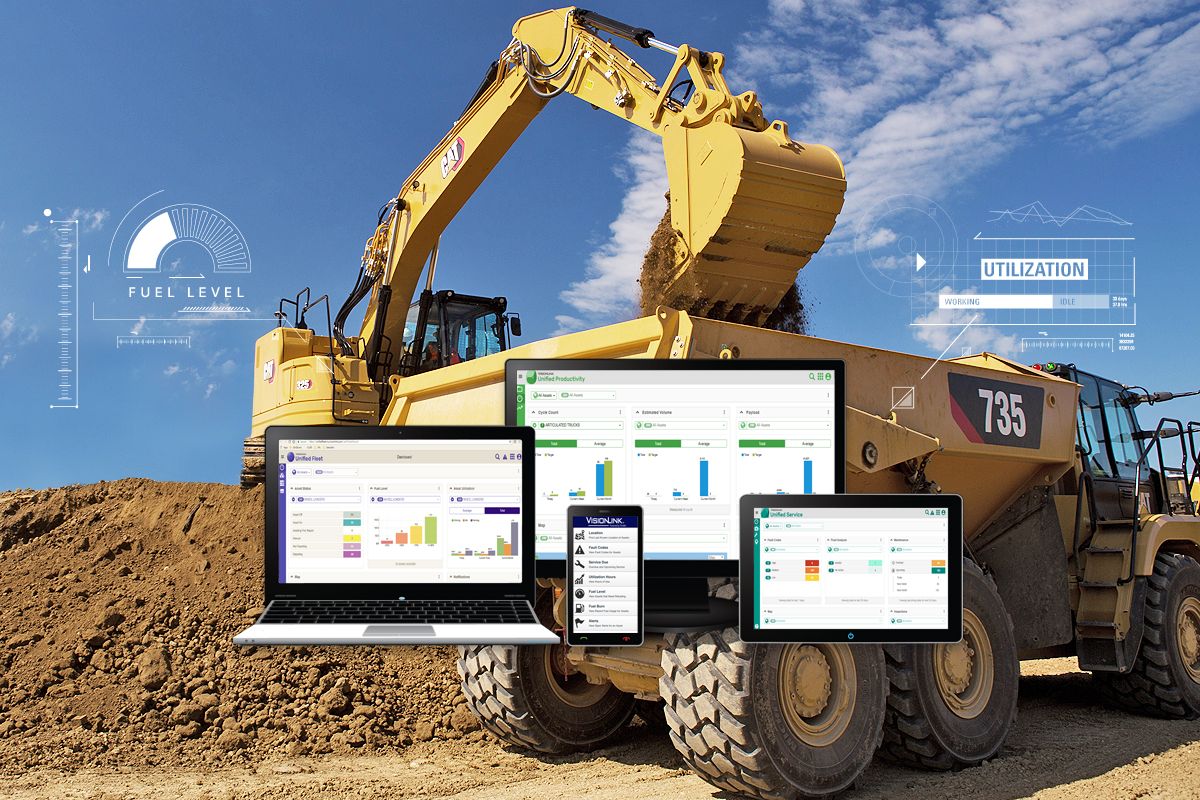
View fleet information online with VisionLink and use it to make informed decisions that boost productivity, lower costs, simplify maintenance, and improve safety on your jobsite. With different subscription level options, your Cat dealer can help configure exactly what you need to optimize your fleet and drive additional profit.

Benefits & Features

ACCESS FLEET INFORMATION 24/7

  • Manage large fleets with geofences, groups and projects.
  • Mixed-fleet management capable with API integration or by using Cat Product Link™ devices on equipment from other manufacturers.
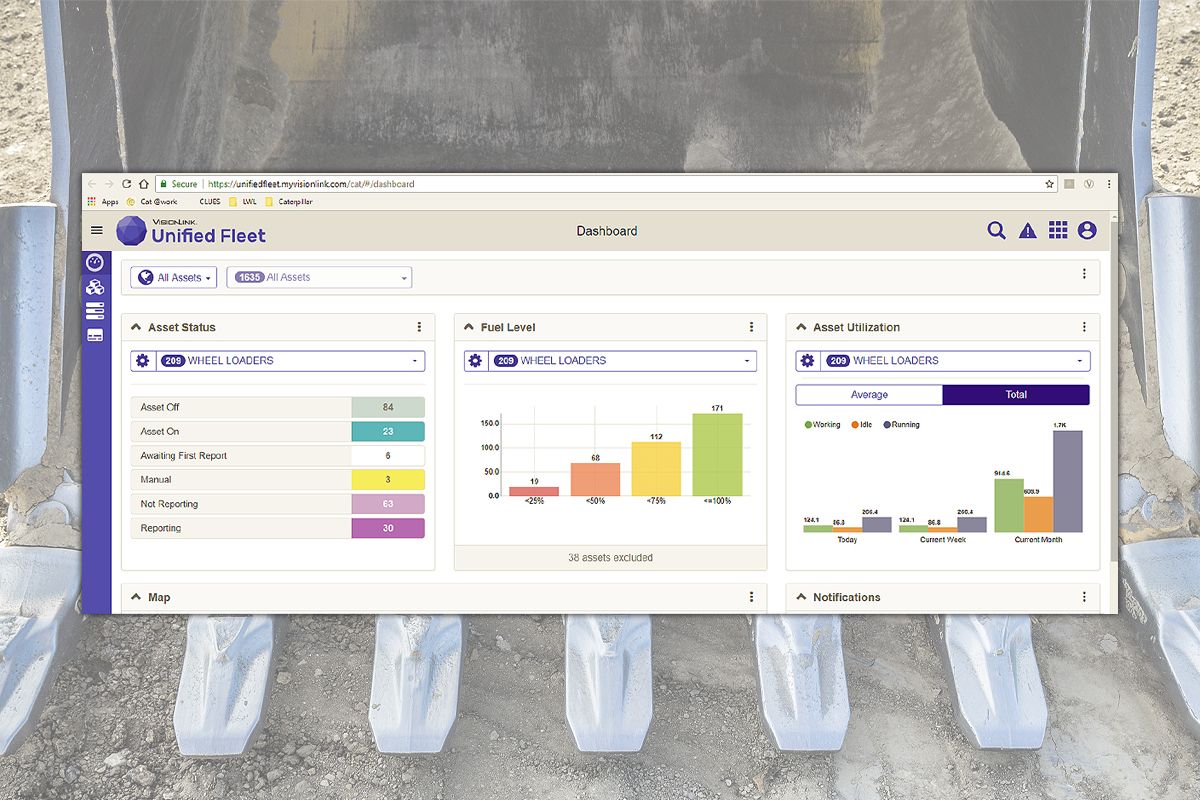
  • Customizable dashboards provide information such as hours, miles, location with mapping, idle time, asset status, asset operation and fuel utilization.
  • Operator ID tied to fleet information when used with Operator Management System.
  • Organize fleet data to view it efficiently and how you want to view it.
  • Use customized settings to help support your own business objectives.
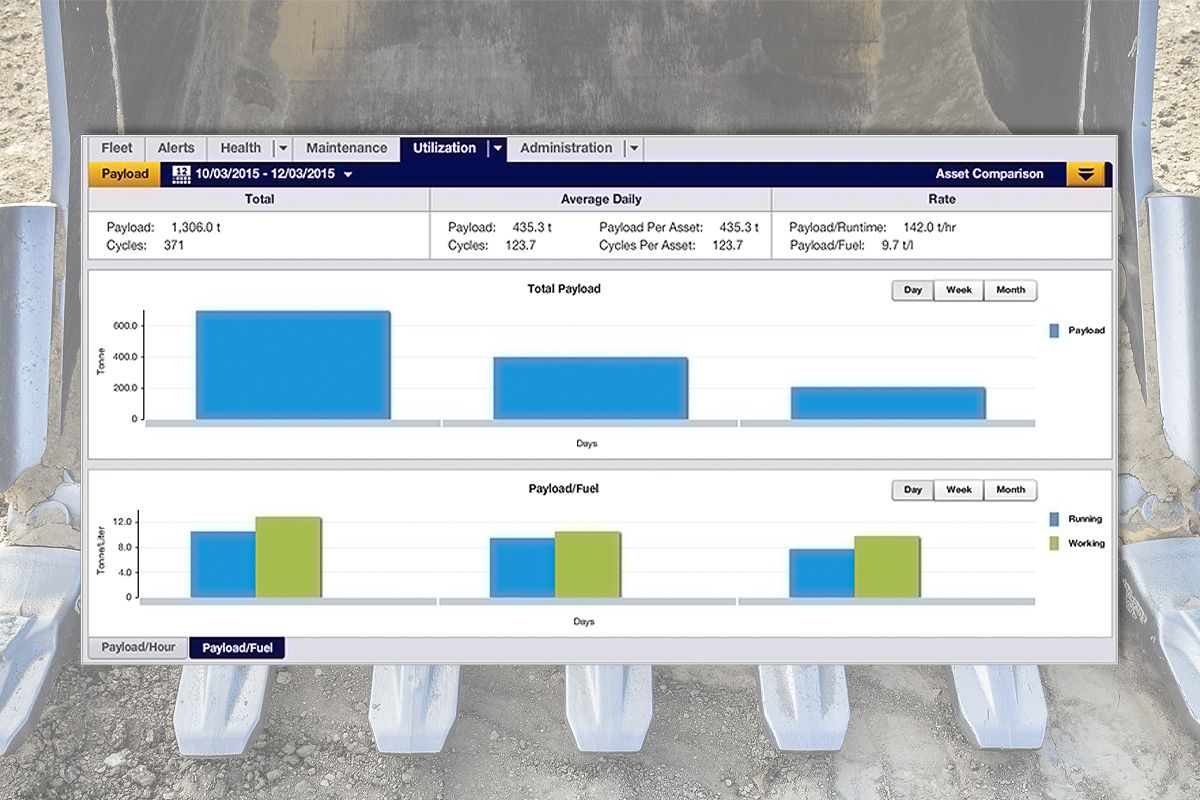
  • Utilization view gives an overview of how efficiently assets and fuel are used in a specific date range.
  • Operations view provides historical running hours for a group of assets - used to identify excessive idling, long periods of inactivity, and unauthorized usage.
  • Full functionality across all devices: desktop, tablet and mobile phone.

STREAMLINE SERVICE

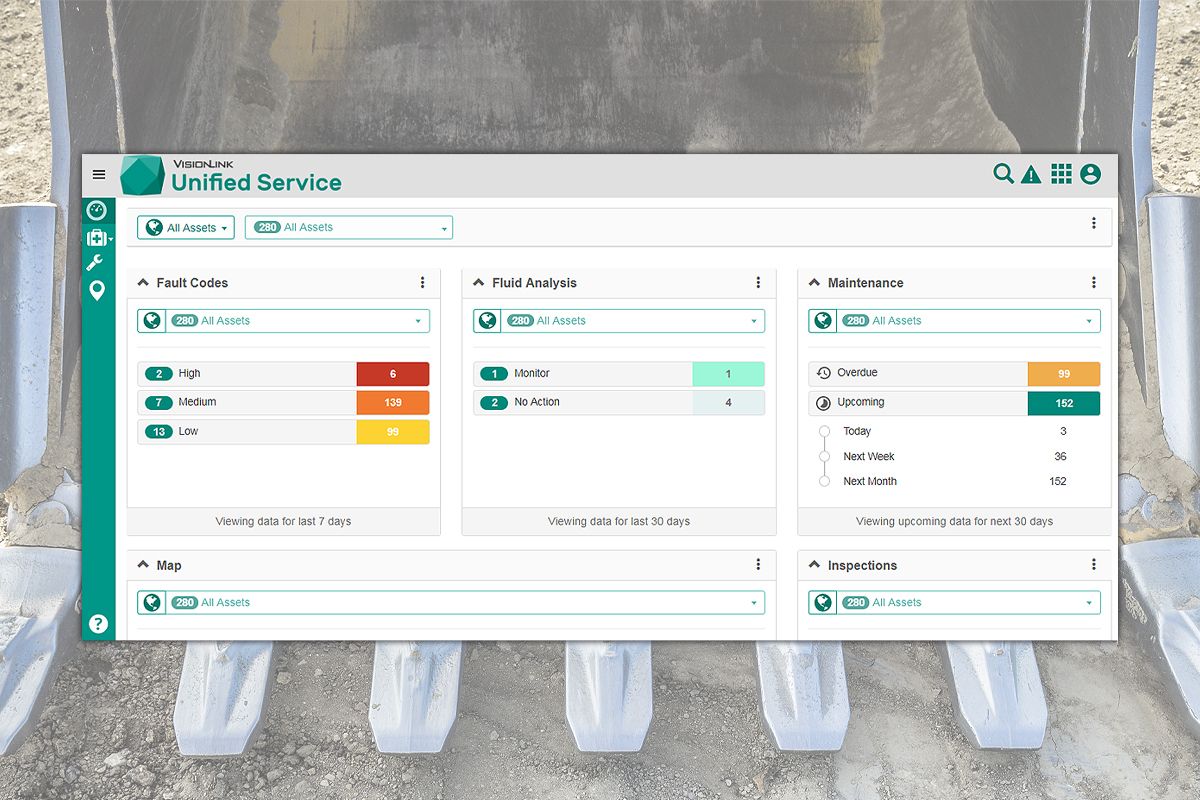
  • Health view provides a summary view of the entire fleet and is divided into three sections - fault codes, fluid analysis, and inspections.
  • View details for each asset's upcoming intervals, including service details, checklists, and parts lists.
  • Help identify necessary preventive maintenance services required.
  • Maintenance history provides details for each asset's completed services, including when the service was completed and who performed the work, in descending chronological order.
  • Online help portal with 24/7 access to videos and instructions.

ACHIEVE GREATER PRODUCTIVITY

  • Get a consolidated view of productivity information by combining utilization, payload, load and cycle monitoring data into a single application.
  • Monitor idle time vs operating time, including engine start/stop events.
  • Determine how efficiently assets are being used to another to identify the top performers, worst performers, and anything in between.
  • Graphical analysis to historical work data helps identify trends in productivity and performance.
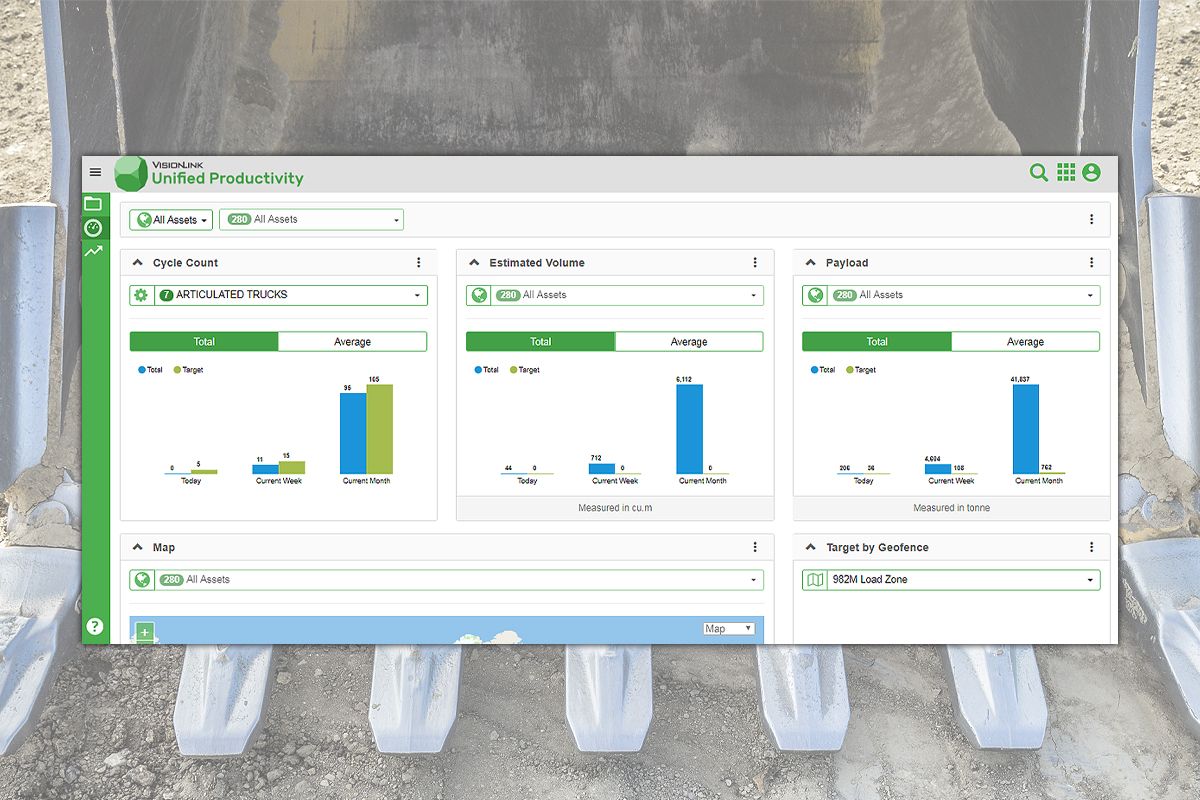
  • View productivity summary charts for assets - actual vs. target for cycle count, estimated volume, and payload. Toggle between “Total” and “Average” for today, current week, and current month.
  • View the locations and events for a particular asset on a map.

See More
no image
Cat VisionLink
no image
ACCESS FLEET INFORMATION 24/7
no image
STREAMLINE SERVICE
no image
ACHIEVE GREATER PRODUCTIVITY
no image
EASY TO MANAGE
Cat VisionLink Overview
Be in Control of your Fleet with Cat® Equipment Management


Specifications

Benefits & Features

ACCESS FLEET INFORMATION 24/7

  • Manage large fleets with geofences, groups and projects.
  • Mixed-fleet management capable with API integration or by using Cat Product Link™ devices on equipment from other manufacturers.
  • Customizable dashboards provide information such as hours, miles, location with mapping, idle time, asset status, asset operation and fuel utilization.
  • Operator ID tied to fleet information when used with Operator Management System.
  • Organize fleet data to view it efficiently and how you want to view it.
  • Use customized settings to help support your own business objectives.
  • Utilization view gives an overview of how efficiently assets and fuel are used in a specific date range.
  • Operations view provides historical running hours for a group of assets - used to identify excessive idling, long periods of inactivity, and unauthorized usage.
  • Full functionality across all devices: desktop, tablet and mobile phone.

STREAMLINE SERVICE

  • Health view provides a summary view of the entire fleet and is divided into three sections - fault codes, fluid analysis, and inspections.
  • View details for each asset's upcoming intervals, including service details, checklists, and parts lists.
  • Help identify necessary preventive maintenance services required.
  • Maintenance history provides details for each asset's completed services, including when the service was completed and who performed the work, in descending chronological order.
  • Online help portal with 24/7 access to videos and instructions.

ACHIEVE GREATER PRODUCTIVITY

  • Get a consolidated view of productivity information by combining utilization, payload, load and cycle monitoring data into a single application.
  • Monitor idle time vs operating time, including engine start/stop events.
  • Determine how efficiently assets are being used to another to identify the top performers, worst performers, and anything in between.
  • Graphical analysis to historical work data helps identify trends in productivity and performance.
  • View productivity summary charts for assets - actual vs. target for cycle count, estimated volume, and payload. Toggle between “Total” and “Average” for today, current week, and current month.
  • View the locations and events for a particular asset on a map.

EASY TO MANAGE

  • Easily manage asset settings, users, reports, notifications, groups, projects, and configuration of mixed-fleet data integration utilizing AEMP 1.2/2.0.
  • Create user accounts, assign permissions to applications based on user roles, set preferences, and edit/delete existing user accounts.
  • Integrate third-party providers to provide data into VisionLink® via an API data-in feed for mixed-fleet integration from multiple data sources. Supports AEMP 1.2 standards.
  • Create geofences to replicate job sites, work sites, or other types of locations for use in other applications.
  • View active and archived projects for the selected account, projects are containers for grouping geofences, geofence types, and designs.
  • Create, edit and manage notifications (email or SMS/text) - multiple notifications can be selected to perform an action.

COMPARE APPLICATIONS

Choose VisionLink® To -

  • Monitor fleets at multiple locations or jobsites.
  • Access daily reports or upgrade to 10 minute reporting cycles.
  • Use geofences to monitor assets coming and going.
  • Receive immediate machine engine start and stop times.
  • Monitor hourly cycle and payload data.
  • Email customized reports to multiple people - reports can be automated or scheduled.
  • Integrate data feeds of other OEM’s equipment into the fleet management application.
Choose My.Cat.Com To -
  • Manage connected and non connected assets in one place.
  • Access daily runtime hours, location, fuel level, odometer and fault codes.
  • Monitor service history and rental spend.
  • Easily schedule service and order parts from your Cat dealer.
  • Know which machines have a Customer Value Agreement (CVA) and when it will expire.
  • Use the Cat® App as an equipment management solution out in the field.
* Your Cat dealer can answer any questions and provide expert advice on hardware, subscription and integration options.

HOW TO GET CONNECTED

1. Install or Activate a Product Link™ Device -

  • For new Cat equipment, simply activate the telematics hardware built into the machine.
  • For older Cat equipment or other OEM machines, install a Product Link device.
2. Choose a Telematics Subscription to Access the Data -
  • Your dealer can help you configure exactly what you need to connect your fleet and manage your business, without paying for extras that are not needed.
3. Integrate the Data into your Business -
  • Use your IT personnel to manage the integration process into your existing infrastructure.
  • No in-house expertise? Your dealer can deliver actionable insights on a regular basis.
* Your Cat dealer can answer any questions and provide expert advice on hardware, subscription and integration options.

Related Products

no image
no image
Title

Lorem Ipsum is simply dummy text of the printing and typesetting industry. Lorem Ipsum has been the industry's standard dummy text ever since the 1500s, when an unknown printer took a galley of type and scrambled it

100 200 # #
1 # 1 #